
Bi-Color LED Light for Golf Simulator Studios
Choose options
Fast & Free U.S. Shipping
Get your indoor golf gear in your hands sooner — at no extra charge.
Tax-Free Advantage
With no sales tax you can spend more on golf, and less on tax.
Free Sim Consultation
Book a free consultation with one of our indoor golf experts here and receive a lifetime discount code.
Lowest Price Guarantee
Found a better price elsewhere? We'll match it, no questions asked.
Description
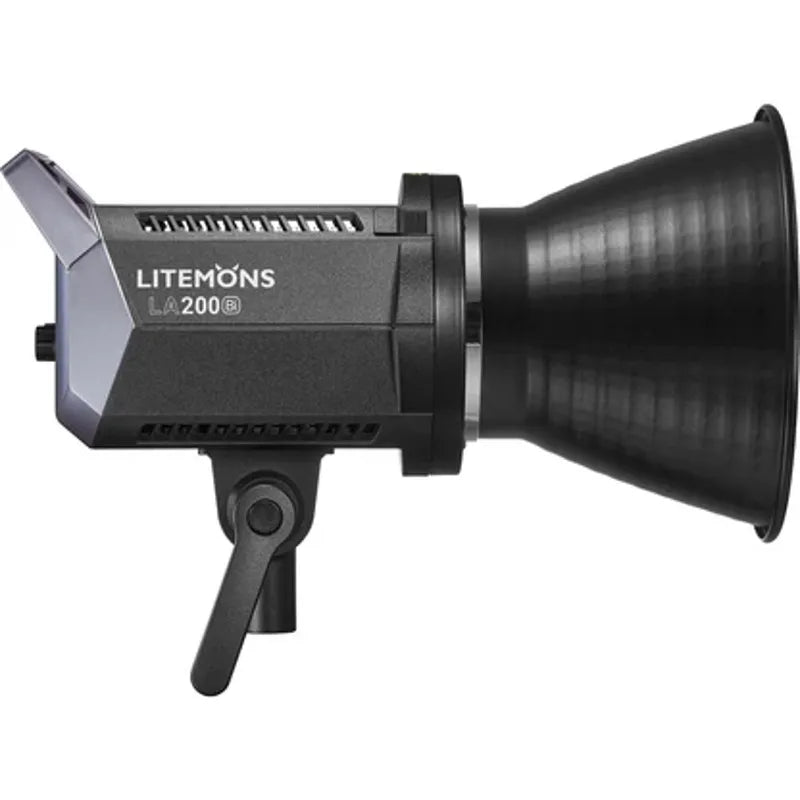
The Bi-Color LED Light for Golf Simulator Studios represents the pinnacle of professional-grade lighting technology, specifically engineered for discerning golfers who demand exceptional swing video quality and optimal indoor golf simulator performance.
This premium lighting solution addresses the most common challenge faced by golf simulator enthusiasts - achieving crystal-clear, professional-quality footage that captures every nuance of your golf swing with precision and clarity. What sets this bi-color LED light apart from standard lighting options is its advanced variable color temperature range and wireless control capabilities, allowing you to create the perfect lighting environment that rivals professional golf studios.
Unlike fixed-temperature lighting systems, this sophisticated unit delivers consistent, flicker-free illumination that ensures your high-speed cameras capture every detail without motion blur or inconsistent exposure, making it the preferred choice for serious golfers who want to analyze and improve their golf game with professional-level precision.
Key Features
Variable Color Temperature Control (2800K-6500K)
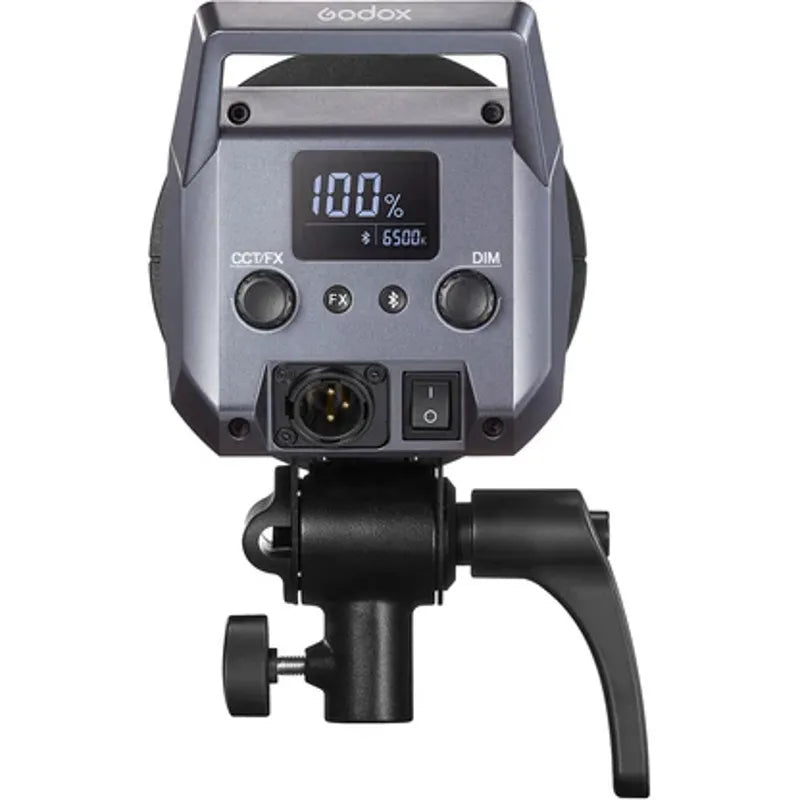
This advanced bi-color technology allows you to seamlessly adjust between warm and cool lighting to match any environment or preference, ensuring optimal color accuracy for swing analysis and creating the perfect ambiance for your indoor golf simulator studio.
Professional-Grade CRI/TLCI Ratings (96/97)
Delivers exceptional color accuracy and rendering that ensures your golf swing videos maintain true-to-life colors, allowing you to see ball flight characteristics and swing mechanics with the same clarity you'd experience outdoors on the course.
Wireless App Control with Eleven Special Effects
Take complete control of your lighting environment with intuitive app-based wireless control, featuring eleven specialized lighting modes including flash, storm, and TV effects for creative video production and enhanced simulator experiences.
Bowens S-Mount Compatibility System
Professional-grade mounting system supports a wide range of light modifiers and accessories, giving you the flexibility to customize your lighting setup with softboxes, reflectors, and other professional photography equipment.
Stepless Dimming Control (0-100%)
Achieve precise lighting control without the need for expensive ND filters, allowing you to dial in the exact brightness level for optimal swing camera performance and comfortable gameplay sessions.
What's Included
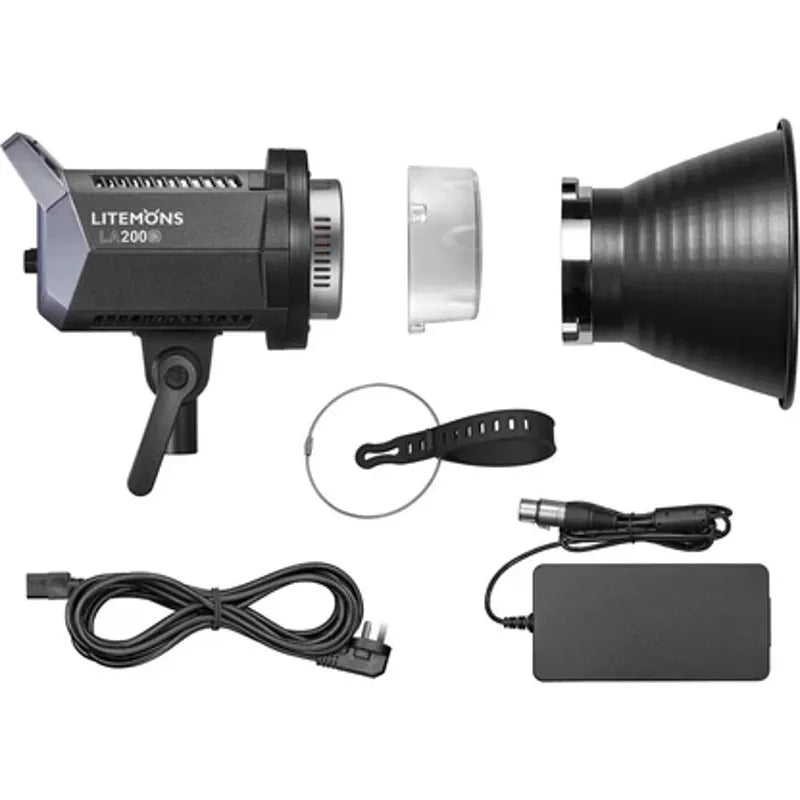
- Bi-Color LED Light (Main Unit)
- Professional Reflector
- Power Cable
- Bowens S-Mount Adapter
- Wireless Control Instructions
- Quick Setup Guide
Specifications
- Color Temperature Range: 2800K to 6500K (Variable Bi-Color)
- CRI Rating: 96
- TLCI Rating: 97
- Dimming Range: 0-100% (Stepless)
- Special Effects Modes: 11 (Flash, Storm, TV, Candle, Fire, Firework, and more)
- Control Method: Wireless App Compatible
- Mounting System: Bowens S-Mount with Built-in Umbrella Mount
- Power: Standard AC Power Cable Included
- Construction: Professional-grade aluminum housing
- Weight: Lightweight and portable design
- Compatibility: Works with high-speed cameras up to 240fps (flicker-free)
Assembly
- Step 1: Attach the Bowens S-Mount adapter to your light stand or mounting system
- Step 2: Secure the LED light unit to the Bowens mount with a quarter-turn clockwise motion
- Step 3: Install the included reflector by aligning and clicking into the front mounting ring
- Step 4: Connect the power cable to the unit and plug into standard AC outlet
- Step 5: Download the wireless control app and pair with your device following the included QR code
- Step 6: Position the light at recommended angles (45-60 degrees from subject) for optimal swing video illumination
- Step 7: Test dimming and color temperature settings through the app before recording sessions
- Step 8: Fine-tune positioning to eliminate shadows on your impact screen and hitting mat area
Shipping
- Orders ship within 1–2 business days of purchase
- Delivery typically takes 5–10 business days, depending on destination
- Free shipping available within the continental U.S.
- Tracking information will be sent by email once the order ships
- For questions or status updates, contact sales@indoorgolfsource.com or call 561-359-8200
Returns and Refunds
- Products may be returned within 30 days if unused and in original packaging
- Customers are responsible for return shipping costs
- A 25% restocking fee applies to all returns
- Exchanges allowed within 30 days (customer covers shipping)
- Damaged items must be reported within 24 hours of delivery, with photo documentation.
Join Our Community of Indoor Golfers
Get expert guides, product reviews, and exclusive offers straight to your inbox. No spam, we promise.